Mastering AI Image Prompts: Why 4 Words Aren't Enough for Stunning Visuals
If you've ever stared at the empty prompt box of an AI image generator, you already know that unlimited creative possibilities can sometimes feel overwhelming. One of the biggest misconceptions among beginners is believing that entering just three or four words will instantly produce a masterpiece.
While modern AI image models have become remarkably advanced and understand natural language extremely well, they still require clear direction. The difference between an average image and a breathtaking visual often comes down to the quality of your prompt.
The most effective prompts are usually between 15 and 50 words, providing enough information to guide the AI while leaving room for creativity. Let's explore the framework used by professional creators to consistently generate high-quality images.
The 4-Layer Prompting Formula
High-performing AI prompts typically follow a four-layer structure that provides clarity without overwhelming the model.
1. The Subject: Be Distinctive
The subject is the centerpiece of your image. Instead of using generic descriptions, add details about appearance, age, clothing, texture, emotion, or action. A "weathered lighthouse" immediately tells a richer story than simply "a lighthouse."
2. The Context and Setting: Ground Your Image
Every compelling image exists somewhere. Define the environment, weather, atmosphere, and time of day. Whether it's a rain-soaked cyberpunk street or a sunlit meadow during golden hour, context creates emotional depth and visual coherence.
3. The Style: Define the Artistic Direction
Tell the AI how the image should look. Specify whether you want photorealism, watercolor, digital illustration, cinematic photography, oil painting, retro-futurism, magical realism, or any other artistic style. Lighting modifiers such as golden hour, rim lighting, or chiaroscuro can dramatically transform the final result.
4. Technical Details and Composition: Frame the Shot
Professional-quality visuals often depend on composition. Mention camera angles, lenses, depth of field, macro photography, aerial views, long exposure, or cinematic framing. These details help shape how viewers experience the image.
Example of the Full Formula
"A weathered lighthouse on a rocky cliff during a storm, dramatic waves crashing below, oil painting style, dramatic low-angle composition, cinematic lighting."
Real Prompt Examples You Can Use Today
Portraits & Characters
Prompt:
"Elderly watchmaker examining tiny gears through magnifying glass, warm workshop lighting, dozens of clocks ticking in background, oil painting style, shallow depth of field."
This prompt creates a complete narrative rather than simply describing a person. It combines character action, environment, artistic style, and photographic focus techniques to create a highly engaging visual.
Prompt:
"Ballet dancer mid-leap in abandoned theater, dust particles floating in spotlight, torn velvet seats in shadows, dramatic chiaroscuro lighting."
Commercial & Product Photography
Prompt:
"Running shoe splashing through neon puddle, droplets frozen mid-air, each containing tiny rainbow, dramatic side lighting, high-speed photography."
Product visuals benefit enormously from technical photography instructions. High-speed photography and dramatic lighting instantly transform a simple product into a premium advertising asset.
Prompt:
"Coffee cup overflowing with miniature forest, tiny deer drinking from coffee waterfall, morning light through steam, whimsical product shot."
Locations & Nature
Prompt:
"Bioluminescent waves crashing on black sand beach under Milky Way, blue glow meets stars, long exposure, magical realism."
Long exposure adds movement and visual drama, while magical realism defines the final atmosphere. Together they create an image that feels both believable and dreamlike.
Prompt:
"Macro shot of dewdrop on spiderweb containing entire reflected landscape, sunrise colors, nature's lens, tilt-shift effect."
The Secret Most Beginners Miss: Iteration
Even the best prompt rarely produces the perfect image on the first attempt. Professional creators understand that prompt engineering is an iterative process.
Your initial prompt will usually get you about 80% of the way toward your vision. From there, make small adjustments to lighting, composition, environment, color palette, camera angle, or artistic style.
A good rule is to generate between 3 and 5 variations before deciding on a final result. Save successful prompts and build your own personal prompt library over time.
Scale Your Creative Workflow with High Impact Visuals
Learning how to write better prompts is only the first step. Managing, organizing, and refining large collections of prompts becomes increasingly important as your projects grow.
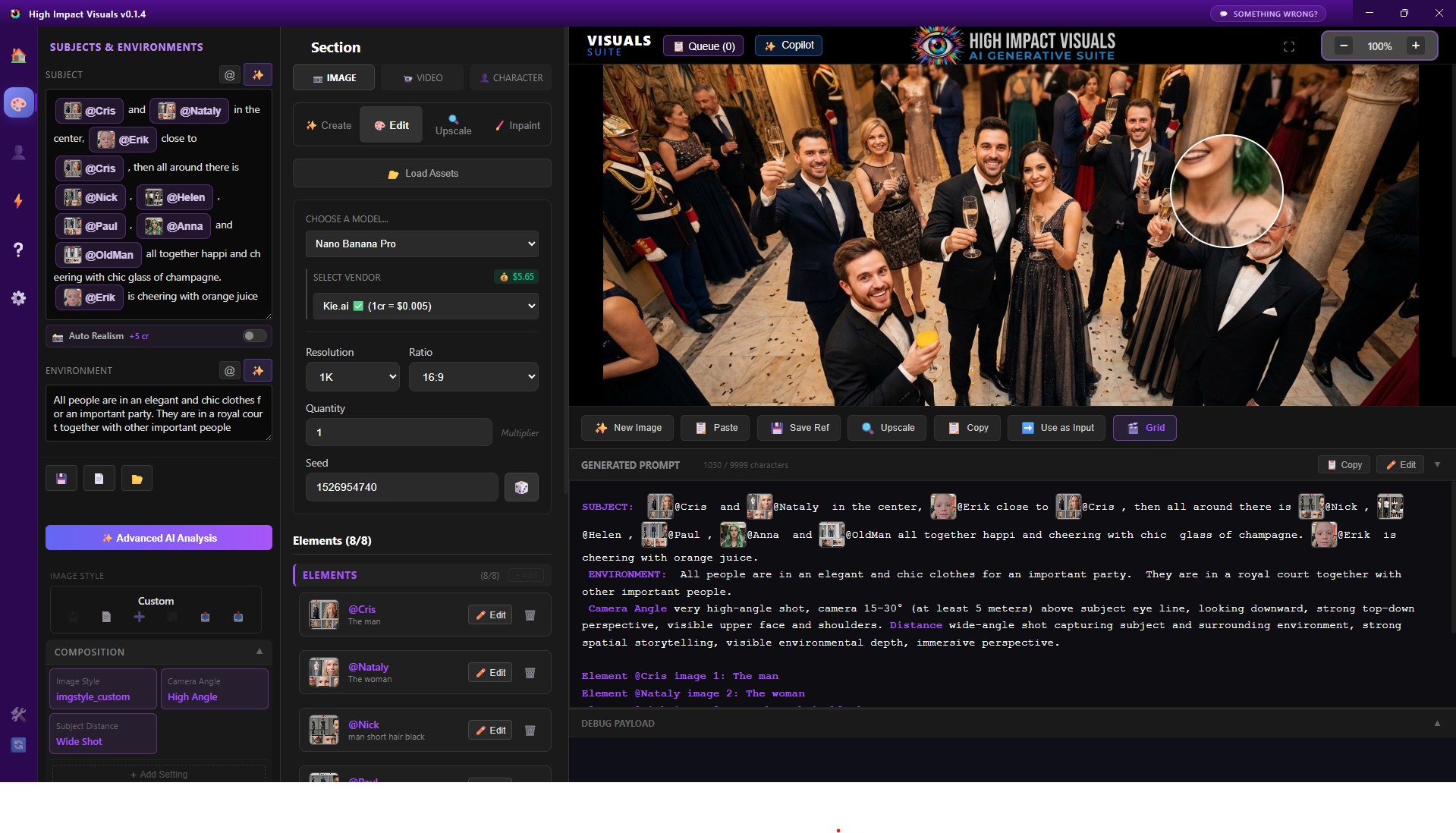
High Impact Visuals helps creators build professional-grade prompts for both AI images and AI videos while keeping production costs under control.
Whether you're a content creator, marketer, designer, or entrepreneur, having a centralized prompt management system can dramatically improve both productivity and creative consistency.
Final Thoughts
The best AI image prompt isn't necessarily the most technical one. It's the prompt that communicates your vision clearly and effectively.
By defining your subject, setting, artistic style, and composition, you'll consistently generate images that look more professional, more intentional, and far more impressive than anything produced by a simple four-word prompt.
Pro Tip:
Pick one of the example prompts above, change a single element—such as the lighting, angle, environment, or style—and generate 3 to 5 variations. You'll quickly discover how small prompt adjustments can dramatically transform the final image.
Turn Great Prompts Into Extraordinary Visuals
Writing powerful prompts is only the beginning. With High Impact Visuals, you can generate stunning AI images and videos, control camera angles, lenses, cinematic shots, lighting, visual effects, motion, composition, and much more—all from your Windows PC or Mac.
Whether you're creating marketing assets, social media content, product visuals, concept art, YouTube videos, or professional creative projects, High Impact Visuals gives you the tools to transform ideas into production-ready content without recurring monthly subscriptions.